Seam Decor Pro
Props you add yourself (a poster on the wall, a flag, a branch in the foreground) would give the loop away: they are in shot at one end of the loop and missing at the other. Seam Decor copies them across the seam as ghosts, so they appear at both ends and the cut stays invisible.
Seam Decor collection
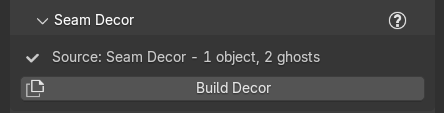
Generate creates an empty collection named Seam Decor for you. Only what is inside it is mirrored; anything else in the file is left alone. Build a prop wherever you like, from as many collections as you like, and when it must cross the seam drag the finished object, or the collection holding it, into Seam Decor. Re-Generate and Next Seed never delete or empty a Seam Decor collection that holds objects. The section always shows one source line:
- Before the collection exists: 'Source: none - put decor in a collection named "Seam Decor"'.
- After: "Source: Seam Decor - 3 objects, 6 ghosts" (0 ghosts until you build them).
Marble Studio's own objects in the collection are skipped. Objects outside it are never touched. Decor appended from another file can land in a second collection (for example Seam Decor.001); the section then says "Your decor is in "Seam Decor.001": drag its objects into "Seam Decor" (only that one is mirrored)."
Build Decor
Build Decor makes the ghosts. It needs a course (grayed with "Generate a course first (decor needs the loop offset)." until there is one).
- The report says what it did: "Ghosted 3 decor objects (6 ghosts, both loop ends)." With nothing to ghost it says "No 'Seam Decor' collection found. Create a collection named 'Seam Decor' and put your decor in it, then press Build Decor." or "'Seam Decor' is empty (or holds only Marble Studio objects, which are skipped) -- nothing to ghost."; with warnings it ends "2 need attention -- see the warnings above."
- Ghosts share the original's mesh: they cost almost nothing and cast the same shadows.
- Anything it cannot ghost is named, one warning per object, and Course Check shows a yellow row, Decor warnings, with one page per object.
Notes you may see on a page of the Decor warnings row, none of which need action unless they say so:
The exact words
"Flag: its transform is sheared by a rotated, non-uniformly scaled parent, which keyframes cannot express, so the ghost FOLLOWS it live instead (offset by one loop in space and time). Nothing to do.", "Flag: it MOVES and its ghost cannot follow it natively (its constraints are muted on the ghost), so its motion was BAKED to keyframes (240 frames), already slid by one loop. Press Build Decor again if you change it, anything it follows, or the frame range.", "Flag: its constraints are muted on the ghost, and the source does not move across the frames this ghost shows, so no keyframes were baked for it. Press Build Decor again if you move it or anything it follows.", and "2 ghost mesh copies were made: shape-key animation lives on the SHARED mesh, so a ghost that waves one loop out of step must own its mesh. (Decor whose mesh is not animated still shares it and costs no geometry.)"
Warnings that do need action, one page each on the Decor warnings row. What to do, by kind:
-
Put what it depends on inside Seam Decor. A modifier, a Geometry Nodes input, a driver, or a parent points at something outside the collection, so the ghost cannot follow it.
The exact words
"Flag: ARRAY modifier 'Array' targets 'Empty', which is not in Seam Decor -- the ghost's geometry/deformation will NOT match. Add 'Empty' to Seam Decor, or apply the modifier.", "Flag: Geometry Nodes modifier 'Scatter' has an Object input pointing at 'Rock', which is not in Seam Decor -- the ghost will not match. Add it to Seam Decor.", "Flag: a driver reads 'Control', which is not in Seam Decor -- the ghost follows the REAL object.", or "Flag: is parented to 'Rig', which is not in Seam Decor -- the ghost keeps its CURRENT pose, so if 'Rig' is animated the ghost will not follow it. Add 'Rig' to Seam Decor to ghost the whole rig."
-
Use an object reference, or apply the modifier. Collection references are not ghosted.
The exact words
"Flag: BOOLEAN modifier 'Cut' uses collection 'Cutters' -- collection references are not ghosted in v1, so the ghost's geometry will NOT match. Use an object reference, or apply the modifier." or "Flag: Geometry Nodes modifier 'Scatter' has a Collection input ('Rocks') -- collection references are not ghosted in v1, so the ghost will not match."
-
Bake it first. Simulations, particles, an Ocean modifier, and NLA strips cannot be shifted by one loop.
The exact words
"Flag: 'Cloth' is a CLOTH simulation -- simulated decor cannot be ghosted deterministically. Bake it to keyframes/mesh first.", "Flag: particle system 'Sparks' cannot be ghosted (its settings are shared with the source, so we must not touch them -- it instances 'Spark'). Bake the particles first.", "Flag: the 'Ocean' Ocean modifier has its own internal clock that cannot be shifted, so the ghost's waves will not be one loop out of step with the source. Bake it to a mesh sequence, or accept that its motion will not match at the seam.", or "Flag: its animation uses NLA strips, which are not time-shifted in this version -- the ghost's motion will not be one loop out of step with the source. Bake the NLA down to a single action (Object > Animation > Bake Action) and press Build Decor again."
-
Check the seam. After building, Marble Studio measures each ghost against its source.
The exact words
"** Flag: THE SEAM WILL NOT MATCH -- the ghost is off by 0.42 m from where (or when) it should be. Usual causes: an animated, non-uniformly scaled parent outside 'Seam Decor', or NLA strips. Put everything it is parented to / follows INSIDE 'Seam Decor', bake any NLA down to a single action, and press Build Decor again."*, "Flag: the ghost is off by 0.004 m at some frame. Small, but worth a look at the seam." or, as a note, "Flag: ghost matches to 3e-07 m -- a sub-visible residual (float precision at this course scale), not an error. Nothing to do."
Notes that need nothing from you: "Flag: has a rigid body -- the ghost was removed from the physics world so it cannot affect your simulation. It is a static copy.", "Flag: has a zero scale, so its exact pose could not be reproduced -- the ghost is placed at the source's world position.", "Flag: 'rotation_euler' uses Linear extrapolation, so outside its animated window the ghost will keep going instead of resting. Set the curve's extrapolation to Constant if you want it to hold still between loops.", "Flag: 'location' ends at a different value than it starts (0.000 -> 1.000), so outside its window the ghost holds that end pose rather than returning to rest.", and "Could not fingerprint the decor (...) -- the 'rebuild decor' nudge will not be reliable for this scene. The ghosts themselves are fine." The baked-or-not note can also say "its bone constraints are muted on the ghost" or "it is parented outside 'Seam Decor'".
Build Decor refuses if a collection called Seam Decor Mirror is in the file but was not made by Marble Studio: "A collection named 'Seam Decor Mirror' already exists and was not created by Marble Studio. Rename it (or empty it) and press Build Decor again -- I will not touch it." When it cannot clear an old mirror collection it says why and carries on: "Seam Decor: the collection 'Seam Decor Mirror' holds objects that are not ours (Lamp), so it was left in place. Nothing of yours was moved or deleted, and the ghosts were rebuilt inside it." The reason can also be "the collection 'Seam Decor Mirror' was not created by Marble Studio, so it was left exactly as it is." or "the collection 'Seam Decor Mirror' has your own collection(s) inside it (Props), so it was left in place -- removing it would take them with it."
Build Wall rebuilds the ghosts too, and its report ends "6 decor ghosts from 3 objects.", adding "2 need attention (see the warnings above)." (or "2 decor messages need attention (see above)." when no ghost was made, or "The decor ghosts could not be rebuilt: ...").
Press Build Decor again after you add, move, or remove decor. Until you do, Course Check shows a yellow row, Decor stale, saying the ghosts are out of date: "Decor changed - rebuild decor", "Decor anchors out of sync - rebuild decor", or "Decor anchors missing - rebuild decor".
Recipe: a poster that survives the loop. Add a plane with your poster image on the wall near the start of the song, move it into the Seam Decor collection, and press Build Decor. Scrub across the last frame: the poster is there on both sides, and the loop never gives it away.
Ghosts in space and time
A ghost is offset two ways: in space by one loop's worth of travel (so it sits where the prop will appear after the cut), and in time by one loop's length (so an animated prop is at the same point in its animation on both sides of the cut). That is what lets a waving flag or a spinning fan cross the seam without a jump.