Key Bases
What a key base is
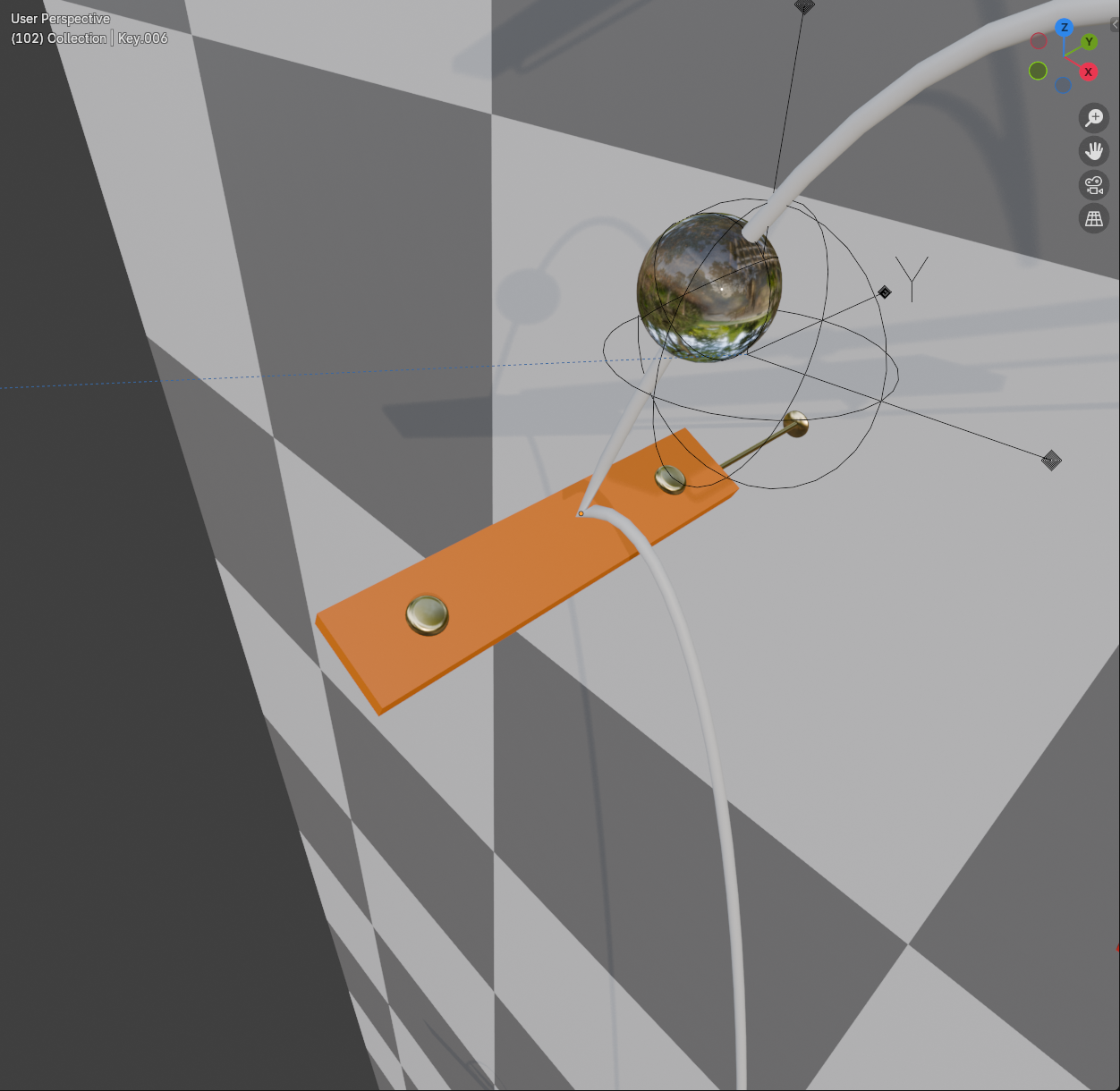
Every key sits on a base: a small bracket with a brace that reaches back to the wall, as if the key were mounted on it. All bases share one mesh, so they cost almost nothing, and they move with their keys when you edit the course. How far the braces reach comes from Wall Depth; change it and the shared base mesh is rebuilt once.
In Marble Studio Pro you can swap the base for a different model; see Instruments.
Change the bases
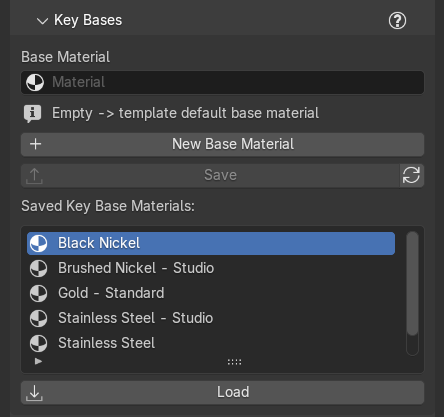
The Key Bases section (folded by default) sets one material for every base, ghosts included. It is in both editions.
- Base Material: the material all bases wear. Pick any material in the file; Blender's own search and X work as usual. Empty means the base's own default ("Empty -> template default base material").
- New Base Material: makes a new plain material and puts it on every key base, ready to edit in Material Properties. An earlier one is kept; the new one gets the next number ("Made 'Key Base Material 2' and put it on every key base.").
In Marble Studio Pro the section also keeps base materials across songs:
- Save: saves the chosen Base Material to the Marble Studio library. Grayed when the field is empty.
- Refresh (circular-arrow button): re-reads the library folder.
- Saved Key Base Materials: Pro the list of saved base materials.
- Load: adds the selected saved material to this file and sets it as the Base Material.
Recipe: dark wood bases. Press New Base Material, open Material Properties and turn it into dark wood. In Pro, Save it so the next song can Load it in one click.